If you’re still on Windows 10, it’s easy to think, “Everything works. Why bother updating?” Your apps open, your files load, and nothing seems broken. From the outside, your computer looks perfectly healthy.
But that’s only the surface.
Behind the scenes, things are very different — and that’s exactly where the danger hides.
Everything Looks Fine… Until It Isn’t
Windows 10 can feel stable and familiar. You know where everything is, and your daily tasks run smoothly. But what you see on the screen is only a small part of what keeps your system safe. The real protection happens in the background — and that’s where Windows 10 is falling behind.
The Hidden Risk: Hackers Can See What You Can’t
While your computer looks normal, hackers see something else: an outdated system with weakening defenses.
Since Windows 10 is no longer receiving full security updates, new vulnerabilities appear that attackers can easily exploit. Cybercriminals actively scan the internet for older systems because they know those machines can’t defend themselves against modern threats.
You may not notice anything wrong, but they can.
Why Updating Now Matters More Than Ever
Upgrading to Windows 11 isn’t just about new features — it’s about staying protected. Windows 11 includes stronger security, better performance, and modern protections designed for today’s threats. Every day you delay the update increases your exposure.
Think of it like leaving your front door locked… but with an old, rusty lock that burglars already know how to pick.
What You Risk by Staying on Windows 10
Sticking with Windows 10 comes with real consequences:
- Higher chances of hacking, ransomware, and data theft
- Software slowly becoming incompatible
- Slower performance over time
- No new features or improvements
- Potential downtime if something breaks and can’t be fixed
It’s not a matter of if problems will appear — it’s when.
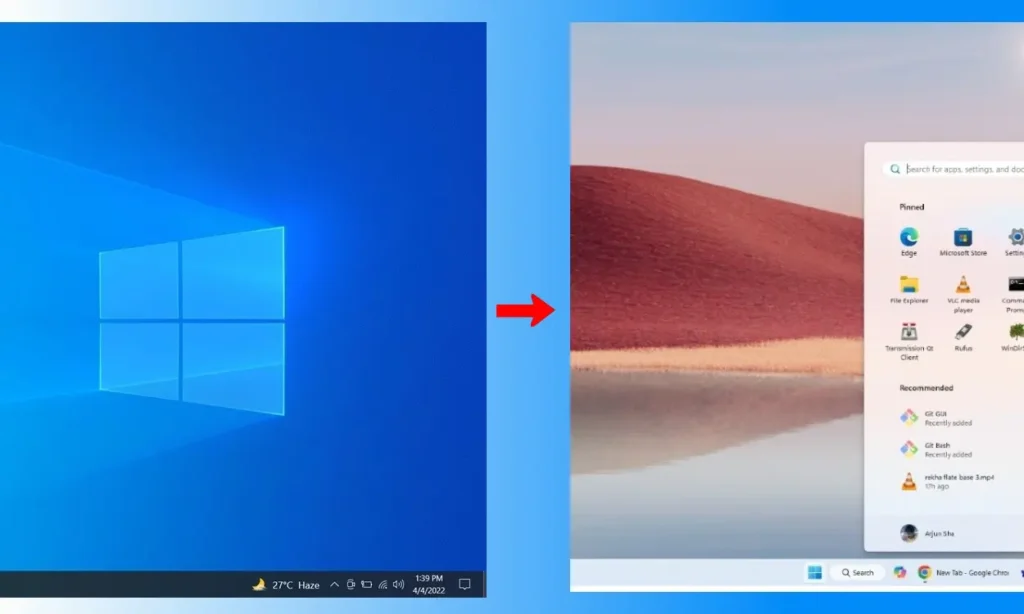
Good News: Most Windows 10 Users Can Upgrade for Free
In most cases, Microsoft allows you to move from Windows 10 to Windows 11 without buying a new license. If your device meets the requirements, the upgrade is included at no extra cost.
The Upgrade Is Smooth — Your Files and Apps Stay Safe
Many people worry about losing their files or having to reinstall everything. Fortunately, Windows 11 offers migration options that keep:
- Your files
- Your apps
- Your settings
Everything stays intact. The transition is designed to be seamless.
Prefer a Professional Touch? We Can Handle the Entire Migration
If you want the upgrade done safely, cleanly, and without stress, our experienced team can manage the full process for you — from compatibility checks to complete migration — ensuring your system moves to Windows 11 smoothly and securely.